Never Miss a Failed
Cron Job Again

Get instant alerts via Slack, Discord, or email when your scheduled tasks don't run. No more discovering backup failures weeks later.

No Credit Card Required • Free Forever Plan

Always free to start
60-second setup
Upgrade anytime
https://cronmonitor.app/dashboard
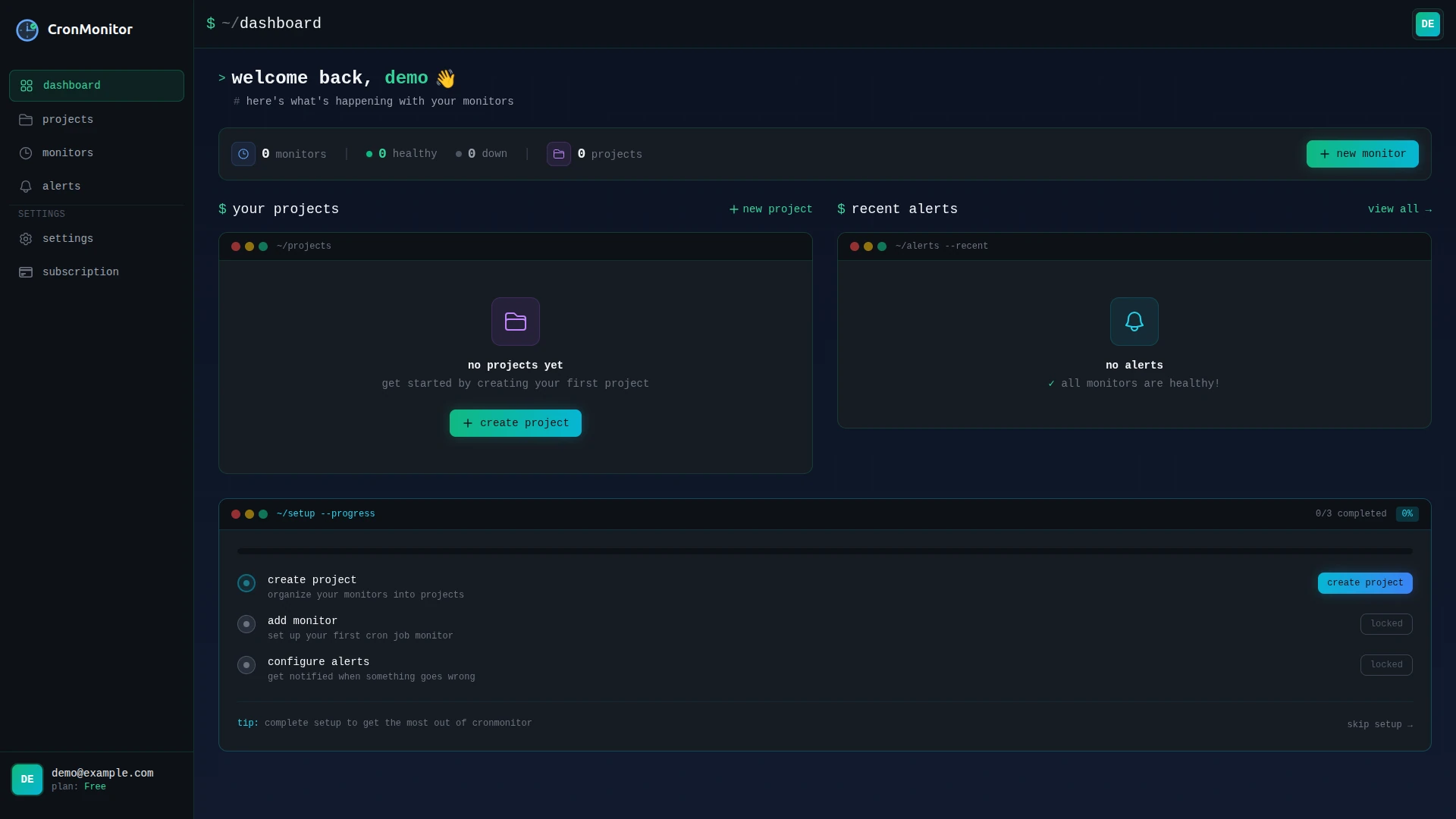
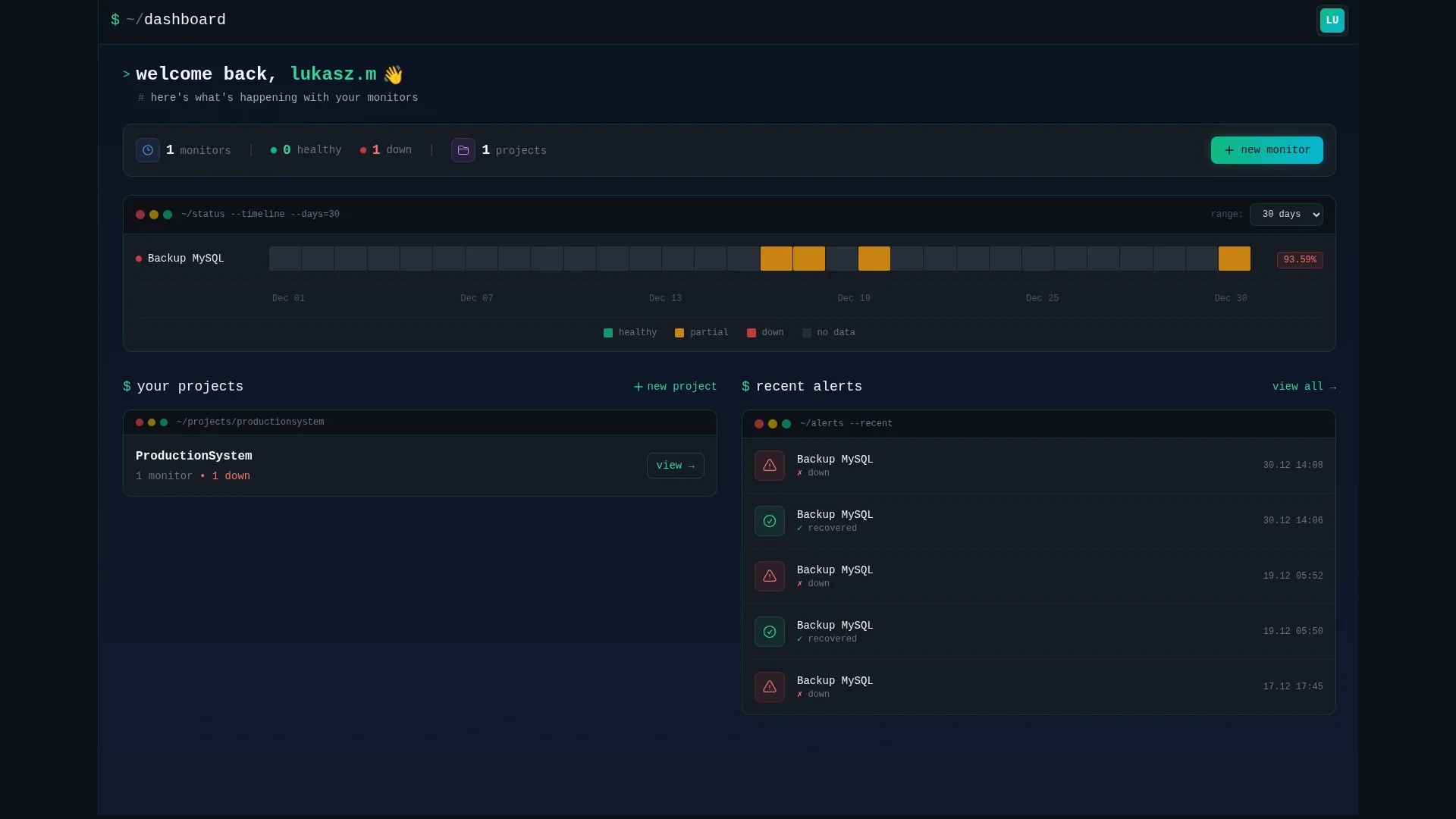
Cron job monitoring dashboard - track all your scheduled tasks
~/dashboard
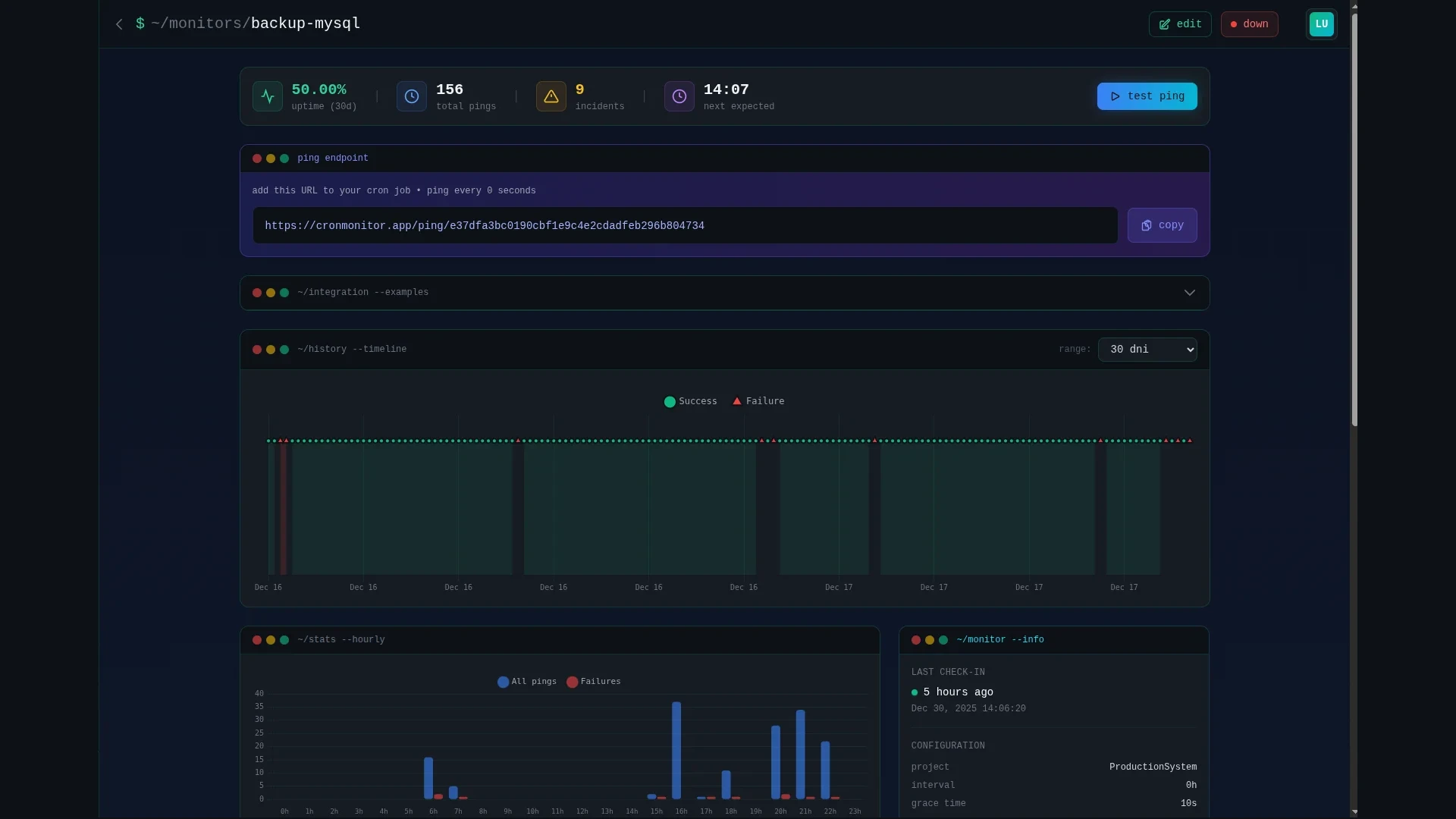
Cron monitor details - execution history and status
~/monitors/details
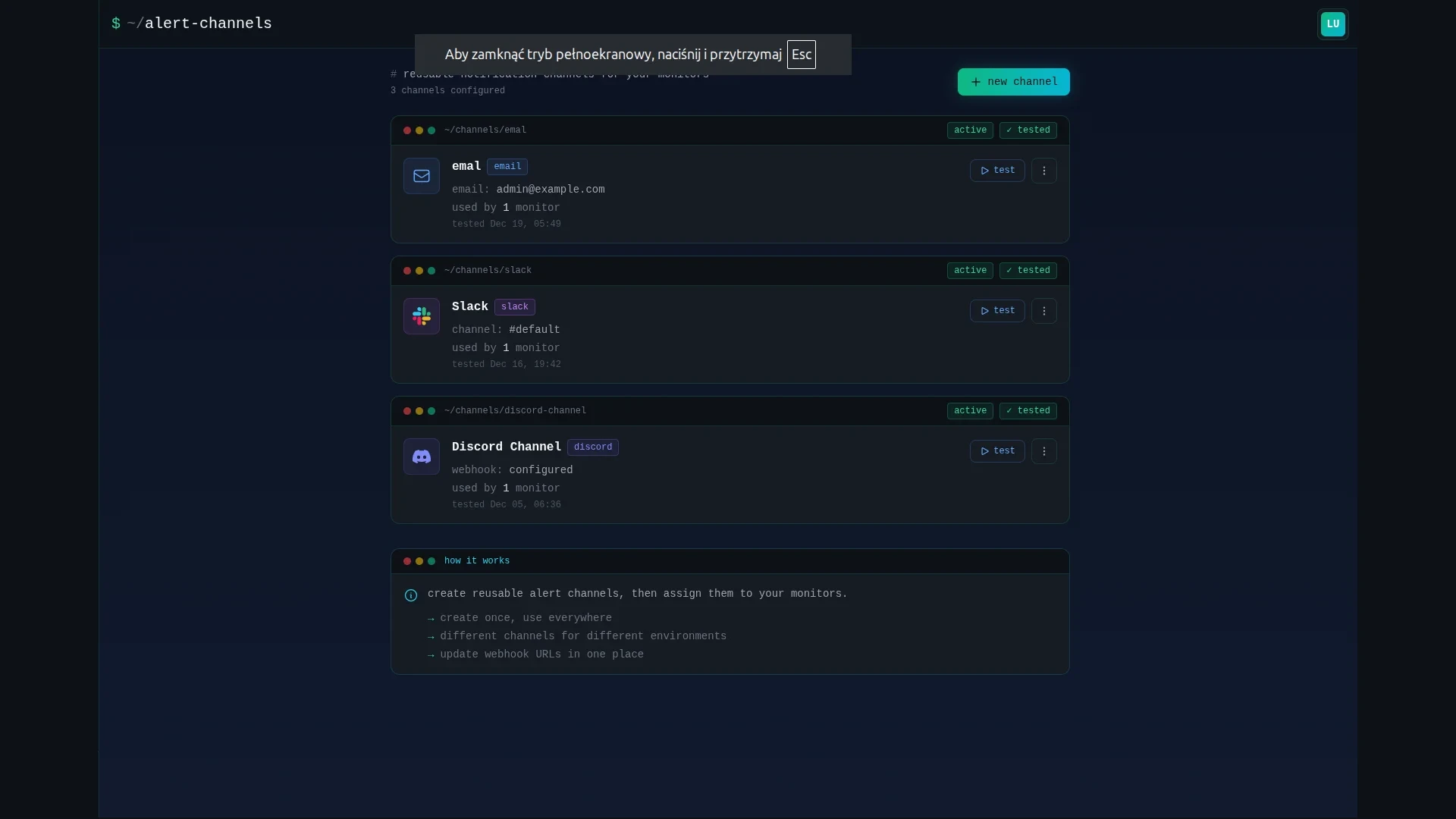
Cron job alerts configuration - email, Slack, Discord notifications
~/alerts/config
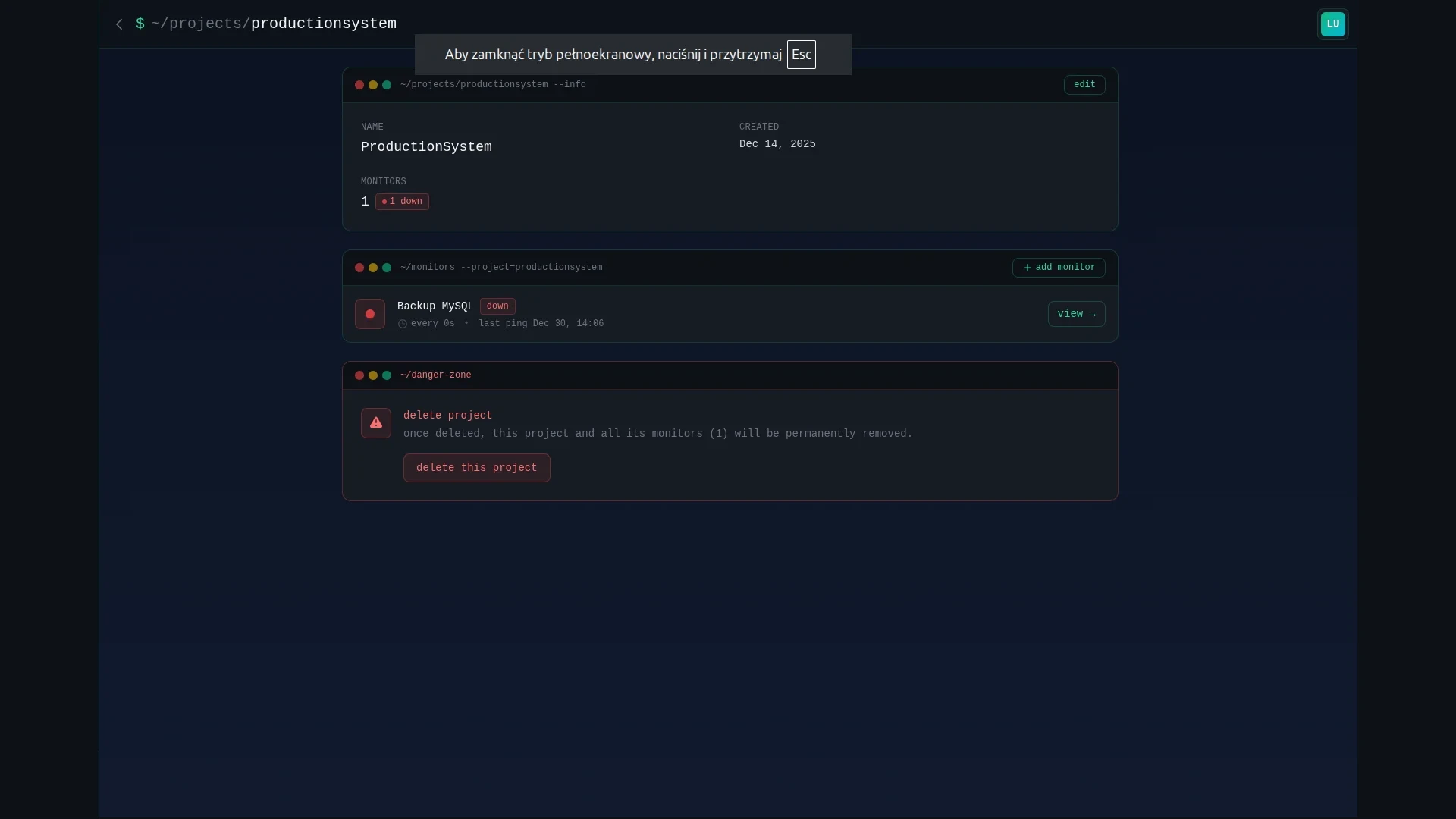
Organize cron monitors by project - production, staging, development
~/projects
~/features

$ why developers choose us

Dead simple setup. Powerful monitoring. Instant alerts when things go wrong.

60s setup

Create a monitor, get a unique URL, add it to your cron. That's it. No complex configuration needed.

--quick --no-config

instant alerts

Get notified immediately via email, Slack, or Discord when your cron job fails to check in.

--notify email,slack,discord

projects

Group your monitors into projects. Keep production, staging, and client jobs neatly organized.

--group prod,staging,dev

grace time

Configure grace periods for each monitor. Avoid false alerts from jobs that occasionally run a bit late.

--grace-period 5m

history

Track all check-ins with timestamps. See exactly when your jobs run and identify patterns.

--log --timestamps

secure

Your data is encrypted. Unique tokens prevent unauthorized access. 99.9% uptime guaranteed.

--encrypted --sla 99.9
~/use-cases

$ what developers monitor

From database backups to payment processing – if it runs on a schedule, we monitor it.

database backups

Never lose data because a backup silently failed. Monitor MySQL, PostgreSQL, MongoDB dumps running via cron. Get alerted before disaster strikes.

0 2 * * * mysqldump ... && curl cronmonitor.app/p/xxx

laravel scheduler

Monitor Laravel scheduled commands and Artisan tasks. Know instantly when queue workers stop, emails fail to send, or reports don't generate.

$schedule->command('reports:daily')
  ->daily()->thenPing($url);

wordpress cron

WP-Cron is notoriously unreliable. Replace it with real server cron and monitor scheduled posts, plugin updates, and WooCommerce tasks.

*/15 * * * * wp cron event run --due-now && curl ...

payment processing

Subscription renewals, invoice generation, payment retries – critical jobs that directly impact revenue. Don't let them fail silently.

0 0 * * * php process_subscriptions.php && curl ...

docker & kubernetes

Monitor CronJobs in Kubernetes clusters and scheduled tasks in Docker containers. Works across any infrastructure – cloud or on-premise.

kubectl create cronjob cleanup
  --schedule="0 */6 * * *" ...

data sync & ETL

API syncs, data imports, ETL pipelines, report generation. Monitor jobs that move data between systems and catch failures before data gets stale.

0 */4 * * * python sync_crm.py && curl ...
~/how-it-works

$ three simple steps

Set up monitoring in under 60 seconds. No complex configuration required.

1

create monitor

Sign up and create a new monitor. Give it a name and set your cron schedule.

~/cronmonitor
$ cronmonitor create
Name: Daily Backup
Schedule: 0 2 * * *
✓ Monitor created!
2

add to crontab

Copy the unique ping URL and add it to the end of your cron job. One line.

~/crontab
3

get alerts

If your cron fails to check in, you'll get an instant alert. Sleep better.

~/alerts
$ create free account

no credit card required

~/integrations

$ works with your stack

One HTTP request. Any language. Any framework. Any infrastructure.

Languages & Frameworks

Infrastructure

💡

Any language. Any framework.
If it can make an HTTP request, it works with CronMonitor.

~/demo

$ see it in action

Watch how easy it is to set up monitoring for your cron jobs in under 2 minutes.

~/cronmonitor --demo
2:00
CronMonitor Demo Video
0:00

create monitor

0:45

add to crontab

1:30

config alerts

~/pricing

$ simple, transparent pricing

Start free. Upgrade when you need more monitors. Cancel anytime.

free

Perfect for personal projects

$0 /month
  • 3 monitors
  • 1 project
  • email + slack + discord
  • 30 days history
get started
recommended

basic

For growing teams

$9 /month
  • 50 monitors
  • 10 projects
  • all channels + webhook
  • 90 days history
$ start free trial

pro

For agencies & enterprises

$19 /month
  • 200 monitors
  • 50 projects
  • all channels + webhook
  • 1 year history
start free trial

enterprise

For large organizations

$29 /month
  • unlimited monitors
  • unlimited projects
  • all channels + webhook
  • unlimited history
start free trial
14-day free trial no credit card cancel anytime
~/what-is-cron-monitoring

$ What is cron job monitoring?

Cron jobs are scheduled tasks that run automatically on your server – database backups, email sends, payment processing, data syncs. They run in the background, usually at night, when no one is watching.

The problem? When they fail, they fail silently. No error messages. No alerts. Just a backup that didn't happen, an invoice that wasn't sent, or data that stopped syncing three weeks ago.

Cron job monitoring solves this by tracking every scheduled task execution. Your cron job pings a unique URL when it completes successfully. If the ping doesn't arrive on time, you get an instant alert via Slack, Discord, or email.

It's the difference between discovering a failed backup during a disaster recovery – and fixing it the morning after it broke.
~/faq

$ frequently asked questions

Everything you need to know about CronMonitor

🔍 what is cron job monitoring

Cron job monitoring is a service that tracks your scheduled tasks and alerts you when they fail, don't run on time, or take too long to complete. It ensures your critical background jobs (like database backups, data processing, or report generation) are running correctly without requiring manual checks.

💰 how much does cronmonitor cost

CronMonitor offers a free forever plan with 3 monitors, perfect for personal projects. Paid plans start at just $9/month for 50 monitors with advanced features. All plans include a 14-day free trial with no credit card required.

🚀 how do i set up monitoring

Setting up takes just 60 seconds! Create a monitor in CronMonitor, get your unique ping URL, and add a simple curl command to the end of your cron job:

0 2 * * * /backup.sh && curl -fsS https://cronmonitor.app/ping/4e9ce72b-c8e0-443c-a533-b5fa5eb2cb4a

🔔 what happens if my cron job fails

You'll receive an instant alert as soon as we detect your cron job hasn't checked in within its expected interval. The alert includes the monitor name, when it last ran successfully, and how long it's been down. You can configure grace periods to avoid false alerts for jobs that occasionally run a few minutes late.

🖥️ can i monitor multiple servers

Absolutely! Each monitor gets a unique ping URL that works from any server or application. You can monitor cron jobs across unlimited servers, cloud providers, or Docker containers. Use our project organization feature to keep production, staging, and development jobs neatly separated.

how do i monitor laravel scheduled commands

Laravel has built-in support for pinging URLs after scheduled commands. Simply chain the thenPing() method:

// In app/Console/Kernel.php
$schedule->command('backup:run')
  ->daily()
  ->thenPing('https://cronmonitor.app/p/your-uuid');

You can also use pingBefore() to ping when a task starts, or pingOnSuccess() and pingOnFailure() for more granular monitoring.

🐳 can i monitor cron jobs in docker containers

Absolutely! CronMonitor works perfectly with containerized environments. Just add a curl command at the end of your task script:

# In your Dockerfile or entrypoint script
#!/bin/bash
/app/run-backup.sh
curl -fsS https://cronmonitor.app/p/your-uuid

For Kubernetes CronJobs, add the curl command as the final step in your job container. The ping URL works from any network that can reach the internet.

⏱️ what's the difference between interval and cron expression monitoring

CronMonitor supports two scheduling modes:

  • Simple interval – expects a ping every X minutes/hours. Best for jobs that run "every 5 minutes" or "every hour".
  • Cron expression – uses standard cron syntax (e.g., 0 2 * * *) for precise scheduling. Best for jobs that run "at 2am daily" or "every Monday at 9am".

Cron expressions are more precise and account for specific times, while intervals are simpler to set up for recurring tasks.

📬 what notification channels do you support

CronMonitor can alert you through multiple channels:

  • Email – instant email alerts to one or more addresses
  • Slack – send alerts to any Slack channel via webhook
  • Discord – integrate with your Discord server
  • SMS – available on Pro and Enterprise plans

You can configure different notification channels per monitor, so critical jobs can alert via SMS while routine tasks use email only.

🔐 is my data secure

Security is our top priority:

  • HTTPS everywhere – all data in transit is encrypted with TLS 1.3
  • Unique tokens – each monitor has a cryptographically random UUID that's virtually impossible to guess
  • No sensitive data stored – we only store ping timestamps, not your cron job output or logs
  • GDPR compliant – we're based in the EU and follow strict data protection regulations

Read our full security policy for more details.

🎁 how does the free trial work

Every paid plan comes with a 14-day free trial with full features:

  • No credit card required to start
  • Full access to all plan features during trial
  • Automatic downgrade to free plan if you don't subscribe
  • Your monitors and data are preserved after trial ends

Plus, the free forever plan with 3 monitors is always available – no trial, no expiration.

still have questions?

contact us
~/knowledge-base

$ From the Terminal

Practical guides and battle-tested strategies for cron job monitoring, automation, and keeping your scheduled tasks running reliably.

ready to start

$ never miss a cron job again

Join developers who trust CronMonitor to keep their scheduled tasks running smoothly. Start free, no credit card required.

free forever plan 60s setup no credit card
~/newsletter
📬

$ subscribe --cron-tips

Learn best practices for adding cron jobs, practical tips for security, and debugging.

Cron job best practices
Docker integration guides
no spam | unsubscribe anytime
>